
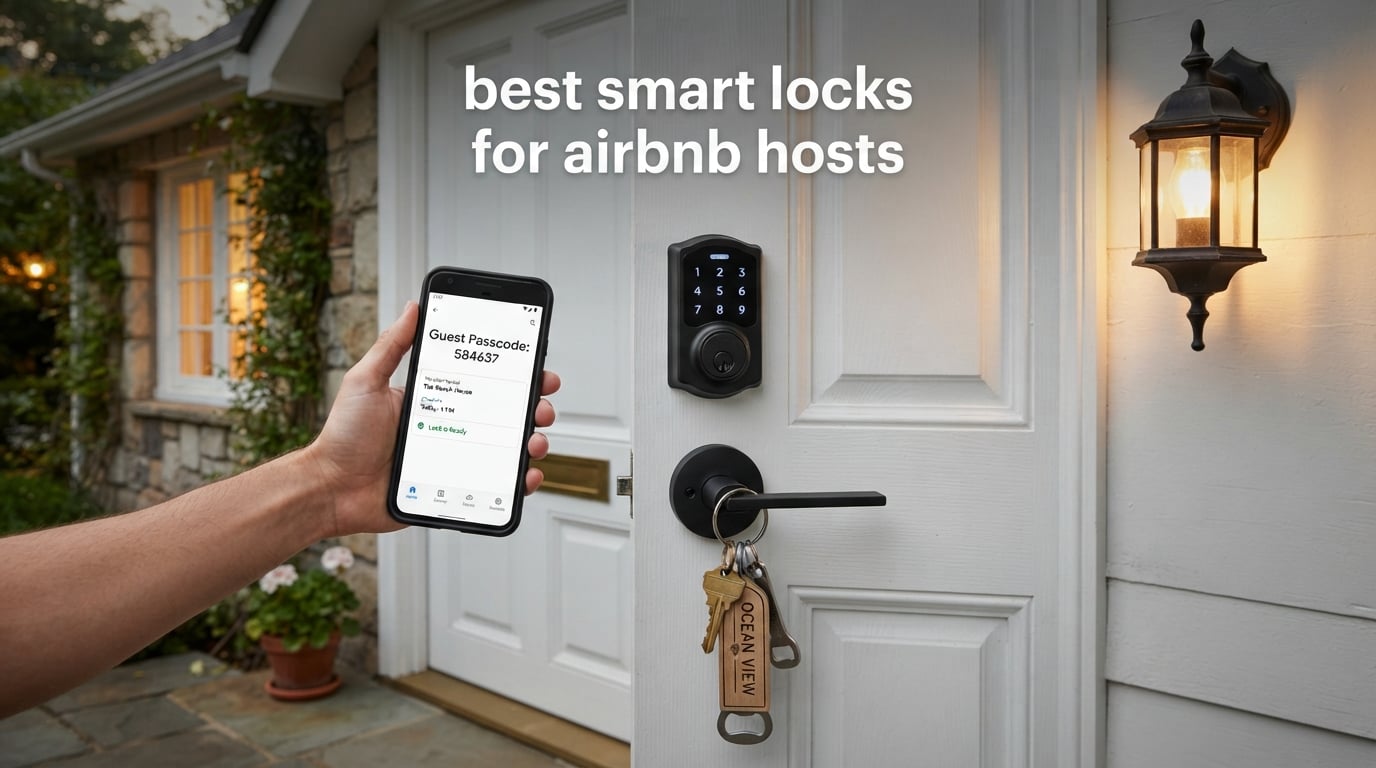
Airbnb does not endorse a single lock model, but hosts land on the same two answers again and again: the Schlage Encode Smart WiFi Deadbolt for built-in Wi-Fi with no hub, and the Yale Assure Lock 2, which syncs guest codes straight into the platform. For most rentals the deciding factor is not security theatre, it is whether a stranger can get through your door at 11 p.m. without a key handoff.
That is why the best smart locks for Airbnb hosts are not the ones with the longest feature lists. They are the ones that generate a unique PIN for every booking, expire it automatically at checkout, keep working when your internet drops, and can be opened from your phone while you are two states away. Get those four things right and the lockbox goes in the closet.
We spent 2026 season testing Wi-Fi keypad deadbolts the way a host actually uses them: install over an existing bore, program guest codes, hand one to a cleaner, and check the battery before the next arrival. We also mined r/airbnb_hosts and the Airbnb Community Center threads, where the real failure stories live — locks that would not fit the door, cylinders that broke after years, and integrations that stopped talking to each other. The picks below are ranked by how they behave on a rental door, not by how they look in a product photo.
If you are still choosing a front-door lock in general, our guide to the best smart locks for front doors covers the wider category, including locks for owners rather than guests.
Table of Contents
- Top 3 Smart Locks for Airbnb Hosts (October 2026)
- Best Smart Locks for Airbnb Hosts Compared in 2026
- How We Picked These Smart Locks for Rentals
- 1. Schlage Encode Smart WiFi Deadbolt — Best Overall for Airbnb Hosts
- 2. ULTRALOQ Bolt Fingerprint WiFi Smart Lock — Best for Multiple Entry Methods
- 3. eufy Security Smart Lock C220 — Best Value with Built-in Wi-Fi
- 4. Zowill Keyless Entry Keypad Deadbolt — Best Budget Pick for a One-Door Rental
- 5. Veise VE06-H Smart Handle Set — Best for Large Booking Calendars
- 6. LOCKSTAR Smart Door Lock — Best When the Gateway Is Included in the Box
- 7. Philips WiFi Keypad Deadbolt — Best for Housekeeper and Vendor Codes
- 8. TEEHO TE012W WiFi Fingerprint Lock — Best for Remote Access on a Budget
- 9. Wyze Auto-Lock Bolt v2 — Best Fingerprint Reader in the Group
- 10. Veise VE027 WiFi Fingerprint Deadbolt — Best for Battery Headroom and Code Flexibility
- What to Look for in a Smart Lock for a Rental
- What Can Go Wrong With a Smart Lock, and How to Prevent It
- Frequently Asked Questions
- What smart lock does Airbnb recommend?
- What is the best lock to use for Airbnb?
- What is the best smart lockbox for Airbnb self check-in?
- What is the best smart lock for short-term rentals?
- What are the downsides of using a smart lock?
- How long do smart lock batteries last on an Airbnb rental?
- Do I need Wi-Fi at my rental for a smart lock?
- Final Verdict on the Best Smart Locks for Airbnb Hosts in 2026
Top 3 Smart Locks for Airbnb Hosts (October 2026)

Schlage Encode Smart WiFi Deadbolt
- Built-in Wi-Fi
- up to 100 access codes
- 4 AA batteries for up to six months
- screwdriver-only install

ULTRALOQ Bolt Fingerprint WiFi Smart Lock
- Seven unlock methods
- 50 fingerprints and 50 passcodes
- included door sensor
- 8 AA batteries for up to one year

eufy Security Smart Lock C220
- Built-in Wi-Fi
- self-learning fingerprint reader
- 8 AA batteries for about eight months
- 15-minute no-drill install
Best Smart Locks for Airbnb Hosts Compared in 2026
| Product | Specifications | Action |
|---|---|---|
| Schlage Encode Smart WiFi Deadbolt |
|
Check Latest Price |
| ULTRALOQ Bolt Fingerprint WiFi Smart Lock |
|
Check Latest Price |
| eufy Security Smart Lock C220 |
|
Check Latest Price |
 Zowill Keyless Entry Keypad Deadbolt Zowill Keyless Entry Keypad Deadbolt |
|
Check Latest Price |
 Veise VE06-H Smart Handle Set Veise VE06-H Smart Handle Set |
|
Check Latest Price |
 LOCKSTAR Smart Door Lock LOCKSTAR Smart Door Lock |
|
Check Latest Price |
 Philips WiFi Keypad Deadbolt with Handle Philips WiFi Keypad Deadbolt with Handle |
|
Check Latest Price |
 TEEHO TE012W WiFi Fingerprint Lock TEEHO TE012W WiFi Fingerprint Lock |
|
Check Latest Price |
 Wyze Auto-Lock Bolt v2 Wyze Auto-Lock Bolt v2 |
|
Check Latest Price |
 Veise VE027 WiFi Fingerprint Deadbolt Veise VE027 WiFi Fingerprint Deadbolt |
|
Check Latest Price |
How We Picked These Smart Locks for Rentals
Every lock here had to clear the same three tests. First, can it hold more than a handful of codes so you are not reprogramming the keypad between a Saturday checkout and a Sunday check-in? Second, can you revoke and create codes from your phone rather than standing on the porch? Third, does it still open the door when the Wi-Fi is the one thing that failed?
We only included deadbolts and handle sets that install over a standard bore without hardwiring, because a rental door is usually a door you do not own. We logged the manufacturer specs for battery type, door thickness, backset and certification rating, then cross-read the review data for real-world complaints rather than marketing claims.
Last verified in October 2026. Two caveats before you buy: rental smart lock integrations, including any link between a lock and Airbnb, are only offered in the US and Canada, and third-party property-management bridges can break independently of the lock itself. Budget for both realities.
1. Schlage Encode Smart WiFi Deadbolt — Best Overall for Airbnb Hosts
Schlage Encode Smart WiFi Deadbolt Lock with Century Trim, Matte Black
Built-in Wi-Fi, no hub
Up to 100 access codes
4 AA batteries, six months
Fits 1-3/8 to 1-3/4 inch doors
Pros
- Built-in Wi-Fi means no hub or bridge to install or lose
- Up to 100 access codes is more than enough for high-turnover rentals
- Screwdriver-only install over a standard deadbolt
- Customizable door-position and forced-entry alarm
- Physical backup key included in the box
Cons
- Touchscreen keypad smudges and collects fingerprints
- 4 AA batteries give a shorter service interval than 8-battery designs
- At 3.4 pounds it is heavier than most retrofit locks here
The Schlage Encode is the one lock that comes up first on r/airbnb_hosts and in the Facebook host groups we looked at, and the reason is boring and durable: it has been in daily rental service on doors across the country for years without drama. Owners describe multi-year runs, dozens of turnovers, and code changes that simply work. It is the consensus favourite, and it is the lock most hosts mean when they say the phrase best smart lock for Airbnb.
The built-in Wi-Fi is the part that changes daily hosting. There is no bridge to mount, no extra device to lose power, and no pairing step when a router gets replaced. You open the app, create a code with a start and stop time, and the guest finds it in their confirmation email. The manufacturer lists support for up to 100 access codes, which means a booked-out calendar never forces you to delete and rebuild codes between stays.
Host groups also single out how the lock looks, which sounds cosmetic until you remember that a cheap-looking deadbolt reads as an unmaintained property in review photos. The brushed trim and fingerprint-resistant touchscreen get mentioned favourably in reviews. The same reviews point to the touchscreen as its weak point, saying smudges and fingerprints build up and occasionally cause a misread.
It is worth planning around that rather than hoping it goes away. A microfiber cloth on your turnover checklist takes seconds and keeps the keypad reading properly on the night a guest is standing in the rain trying the code for the third time.
Consider the physical side. The Encode is 0.9 by 3 by 5 inches and weighs 3.4 pounds, noticeably heavier than the plastic-bodied budget locks. That mass is the zinc construction, and it is why the lock carries a limited lifetime mechanical and finish warranty with a three-year electronics warranty. Schlage states it fits doors 1-3/8 to 1-3/4 inches thick with a 2-3/8 or 2-3/4 inch backset, which covers most US rental doors, but measure before you order.
Battery life is listed at up to six months on four AA batteries, which is the one number that should shape your maintenance calendar. Six months is roughly five turnovers at a typical booking pace, so a low-battery alert matters more here than on a home. The lock also ships with a physical backup key, which is your answer to a dead battery at 2 a.m.
What the Schlage Encode does well on a rental door
Code management is the whole game. A hundred code slots, an activity log, multi-lock management in one app, and a customisable alarm all live in the same place, so a portfolio of units is one screen instead of ten. The manufacturer also lists support for the Airbnb and Ring platforms for short-term rental workflows, which is why it shows up in so many host discussions.
The security specification is a differentiator. It carries the highest BHMA residential Security, Durability and Finish rating, an encrypted connection, and a forced-entry alarm you can set thresholds on. That matters when your door faces a street rather than a hallway.
Where it disappoints hosts
At 4.2 stars across more than 13k reviews, this is the most heavily reviewed lock here and it is not the top-rated one. Reviewers are candid that the touchscreen is the weak surface, and a visible share of one-star reviews trace failed entries back to fingerprint buildup rather than a fault in the lock. Plan a wipe-down at every turnover.
It is also heavier than most of the retrofit locks here at 3.4 pounds, and some hosts report the cylinder eventually failing on doors that see several entries a day. Forum threads about Schlage hardware breaking after years of service are real, and they are one more argument for keeping a physical key in the property rather than relying on the lock alone.
2. ULTRALOQ Bolt Fingerprint WiFi Smart Lock — Best for Multiple Entry Methods
ULTRALOQ Bolt Fingerprint WiFi Smart Lock with Door Sensor, Remote Access
Built-in 2.4 GHz Wi-Fi
Seven unlock methods
50 fingerprints, 50 passcodes
8 AA batteries, up to one year
Pros
- Seven unlock methods including fingerprint
- PIN
- app
- auto unlock
- voice and two keys
- 50 fingerprints and 50 passcodes on one lock
- Included door sensor gives real-time door status and open-door alerts
- Apple Home certified with iPhone and Apple Watch unlock
- 8 AA batteries rated for up to one year
Cons
- 2.4 GHz only
- so it will not join a 5 GHz-only network
- Needs the router within roughly 70 ft for reliable pairing
- Reader can be slow in cold or wet conditions
Most rental problems are not wrong-code problems, they are right-code-wrong-device problems. A guest with wet hands, a toddler pressing buttons, or a guest who does not want to download an app will try every method you have given them. The ULTRALOQ Bolt is the one we would choose when the household arriving is a mixed group rather than one adult with a phone.
Seven unlock paths are on offer: fingerprint, passcode, app, auto unlock, voice, a web portal and two physical backup keys. Capacity is 50 fingerprints alongside 50 passcodes, and the app supports one-time and scheduled code sharing, which is exactly what you want for a same-day maintenance visit. Hosts reviewing it for short-term guests specifically call out the scheduled sharing as the feature that removes the after-hours call.
The included door sensor is the sleeper feature. It reports real-time door status and pushes a door-open alert, so you can see at 9 a.m. on a Tuesday that the guest from the weekend never pulled it shut. Auto-lock on close, a timer, and geofence auto unlock round out the automation options.
Lockout Mode deserves a special mention for hosting. It temporarily disables electronic unlocking while you are away, so a code that somehow got photographed cannot be used between stays. It is a small thing that hosts with frequent turnovers quietly rely on.
Network planning is the catch, and it is a real one. The lock is 2.4 GHz only, so a rental running a 5 GHz-only network will not see it, and the manufacturer recommends the router within about 70 ft. Both limits show up repeatedly in reviews, with owners reporting pairing trouble and drop-offs on dense or modern network setups. Check your band before you order, not after.
Weather is the other one. Reviewers note the fingerprint and passcode reader can be sluggish in cold or wet conditions, which is a genuine concern for an exterior door in winter. Physical size is 2.96 by 1.25 by 2.96 inches and only 16 ounces, so it is easy to handle during install.
The lock is BHMA Grade 2 certified with IP65 weather resistance, backed by a lifetime mechanical warranty and an 18-month electronics warranty. The eight AA battery design is rated for up to a year of typical use, one of the longest stated intervals in this group, and remote unlock attempts are the fastest way to drain it.
Where the ULTRALOQ earns its place
It is the clearest Apple Home option here, unlocking from iPhone and Apple Watch, and it also works with Alexa, Google Home, SmartThings and IFTTT. If your rental tech stack already runs on Apple, that removes a whole category of friction without adding a hub.
Eight AA batteries for a stated year of life means fewer change-outs across a booking calendar than four-battery designs. For a host managing several doors, that difference compounds quietly into saved trips.
When to skip it
If your router sits on another floor, in a metal cabinet, or more than about 70 ft from the door, this lock will frustrate you during setup and occasionally after. The 2.4 GHz limitation also rules it out for a property with a 5 GHz-only network.
At 4.2 stars across 2,572 reviews it sits mid-pack on rating while offering more entry methods than anything else we tested. Buy it for breadth of access, not for a category-leading score.
3. eufy Security Smart Lock C220 — Best Value with Built-in Wi-Fi
eufy Security Smart Lock C220, Fingerprint Keyless Entry Door Lock
Built-in Wi-Fi, no bridge
Six unlock methods
8 AA batteries, about 8 months
15-minute no-drill install
Pros
- Self-learning fingerprint recognition that improves with each touch
- Built-in Wi-Fi with no bridge or hub purchase
- Retrofit over most standard deadbolts in about 15 minutes
- Works alongside eufy doorbells and app routines
- Six unlock paths including a physical key and Apple Watch
Cons
- BHMA Grade 3 is the entry certification level
- App unlock paths need an eufy Security account
- Battery estimate varies with how often the lock is used
The eufy C220 is the answer when a host asks why they need to buy a separate bridge. It connects to Wi-Fi on its own, mounts over most existing deadbolts in about 15 minutes, and covers fingerprint, app, keypad, physical key, Apple Watch and voice. For a rental with two or three doors, that combination of no-drill install and no hub is the whole decision.
Owners are consistently positive about the self-learning fingerprint module. Early failures in the first weeks are normal on any reader, and on this one the enrolled prints get more reliable with use, which is exactly what a host with repeat guests needs. Around 71% of its 4,248 reviews are five-star, and retrofit fit over an existing bore comes up again and again as the reason installation was quick.
Connectivity is straightforward. The lock talks Wi-Fi directly, and the app shows lock status, so you can confirm the bolt threw after a guest says goodnight. It also ties into the eufy doorbell range, which is worth considering if you already run eufy cameras at the door.
Battery life is listed at roughly eight months on eight AA batteries depending on usage frequency. That is a comfortable interval, and the honest caveat is that the eight-battery design is not the same as eight months of heavy remote unlocking.
The certification is where the value argument gets tested. It is BHMA Grade 3 certified after 100,000 lock cycles, which is the entry grade rather than the Grade 2 offered by the Schlage and Ultraloq units in this roundup. For a street-facing door in a low-traffic building that is a reasonable trade. For a standalone rental on a dark street, look at the higher-grade picks.
Its dimensions are 7.67 by 4.49 by 4.41 inches, and it operates from minus 22F to 158F with IP53 water protection. The no-drill install fits bores under 54mm by removing the supplied spacer, which covers a wide range of doors but is not universal, so measure the bore.
Why hosts rate it highly
The retrofit story is the headline. Owners report installing it themselves over an existing deadbolt with a screwdriver in a fraction of an hour, and several bought additional units for other doors afterwards. At 4.3 stars, it sits in the upper half of the ratings we recorded.
Six unlock methods with a self-learning reader give you a fallback chain. If the app is down, the keypad works. If the keypad is smudged, the fingerprint reads. If the battery is flat, the physical key still opens the door.
Where it falls short
The app dependency is real. Remote unlock paths run through the eufy Security app and account, so a forgotten password means no remote access until someone is standing at the door. Several reviews call this out explicitly as the main pre-purchase concern.
Grade 3 is also simply a lower security class than the alternatives. If your property is in a building where door hardware is part of the security conversation, check with your insurer or board before fitting an entry-grade deadbolt.
4. Zowill Keyless Entry Keypad Deadbolt — Best Budget Pick for a One-Door Rental
Zowill Keyless Entry Keypad Deadbolt Lock with Handles, Matte Black
20 user codes plus one-time code
ANSI Grade 3 rated
4 AA batteries over one year
Two backup keys included
Pros
- 20 user codes plus a dedicated one-time code slot
- Two physical backup keys included in the box
- Installs in about 20 minutes with simple code programming
- Backlit keypad with mute mode
- anti-peep code and vacation mode
- Handleset and deadbolt both included in one box
Cons
- No Wi-Fi
- app or remote access of any kind
- Batteries are not included
- Lock and unlock buttons need a longer hold than most keypads
Not every rental needs an app. If you run one door, hand the code over in the check-in instructions, and drive to the property when you need to get in, a mechanical keypad deadbolt is the sensible answer. The Zowill gives you 20 user codes, a dedicated one-time code slot, two backup keys and a rated body without any network to configure.
At 4.4 stars across 1,884 reviews with 76% five-star ratings, it is one of the strongest-rated locks in this group. The dominant theme in reviews is value and simplicity, and several owners report buying more than one unit for different doors.
Auto-lock is adjustable from 10 to 99 seconds, or you can hold the key for two seconds to lock. For a rental that means the door is not accidentally standing ajar while a guest steps out to walk the dog, which is the exact scenario the auto-expiry feature is meant to prevent on the code side.
The anti-peeping password option, backlit keypad, mute mode and vacation mode all exist on a lock with no wireless radio at all. Nothing to update, nothing to fail, nothing to pay a subscription for.
Certification is respectable for the class. It is ANSI Grade 3, tested to 100,000 uses with 2,000N pressure resistance, and IP54 weatherproof. A low battery alert is included, and the manufacturer states over one year of life on 4 AA batteries, which is one of the longest stated battery intervals here. The batteries themselves are not in the box, so buy a spare pack on the same day.
It ships as a full set: the keypad deadbolt, two lever handles, latch, strike plate, two keys and instructions. Dimensions are 3.5 by 7.1 by 11.6 inches, and the aluminium body is listed for front, side or back doors in private homes, apartments and short-term rentals.
Where the Zowill fits
It is the lowest-friction option for a single-door rental, a secondary entrance, or a lake house with no reliable internet. Twenty code slots comfortably cover guests, a cleaner, a co-host and a few overlapping bookings, and the one-time code slot is genuinely useful for a maintenance visit.
Owners value that programming is genuinely simple. The instructions produce a working code in about 20 minutes, which matters when you are fitting locks between bookings rather than on a free weekend.
When to buy something else
If you want remote unlock, an activity log, or codes generated automatically from a booking platform, this lock cannot do any of it. Every code change means a walk to the door, and static codes get shared and photographed, which is the core problem smart locks exist to solve.
One recurring tactile complaint: the lock and unlock buttons need a longer hold than most keypads, so it feels slower to operate than the units guests are used to. Brief older guests and they will be fine.
5. Veise VE06-H Smart Handle Set — Best for Large Booking Calendars
Veise VE06-H Smart Front Door Lock Handle Set, App Control, Matte Black
250+ user codes
Handle set included
App, fobs, key and thumb turn
Wi-Fi needs G2 gateway
Pros
- 250+ user codes with one-time
- permanent
- scheduled and recurring types
- Full handle set replaces the deadbolt and lever in one purchase
- Five access methods including two fobs and a mechanical key
- Privacy mode
- passage mode and anti-peeping keypad
- US-based support that reviews say resolves setup problems fast
Cons
- Wi-Fi features need the separately sold Veise G2 gateway
- Requires three pre-drilled holes in the door
- Code programming has a learning curve
Code capacity is the whole argument here. The Veise VE06-H stores more than 250 user codes across one-time, permanent, scheduled and recurring types, which means a heavily booked calendar never requires deleting and rebuilding a single code. For a host running frequent short stays, that is a different order of convenience from a 20-code keypad.
It is also a full handle set, so the deadbolt and the lever arrive together. Owners replacing a tired front door set can finish the job in one purchase rather than matching two components. The body is aluminium and metal across a 17.99 by 7 by 4 inch footprint, and it fits US standard left- and right-handed doors from 1-3/8 to 2 inches thick.
Access is available five ways: app, code, two fobs, a mechanical key and the thumb turn. That is a deep fallback chain, and it is the reason this lock shows up on doors where guests are unfamiliar with keypads.
Scheduled and recurring codes are the sleeper feature for hosts. A cleaner who comes every Tuesday can hold the same code for a year without a single manual edit, which removes a recurring source of human error from your turnover process.
Connectivity is the catch. The lock itself uses Bluetooth, and full Wi-Fi functionality including Alexa and Google Home needs the Veise G2 gateway sold separately. Plan that as a second purchase and a second thing that can go offline. The manufacturer warranty is one year, extendable to two with registration, and support runs through US phone and email.
At 4.4 stars across 1,531 reviews with 75% five-star ratings, the reception is strong. Owners call out code capacity first, and multiple reviewers specifically mention fast, knowledgeable US support resolving setup problems, which is a genuine advantage when you are fitting a lock between bookings.
The anti-peeping and anti-hacking keypad, privacy mode, passage mode, auto-lock and one-touch locking round out a feature set that is unusually complete for this price class. The 5.1 pound weight means it is not a one-hand install.
Where the Veise earns its place
Recurring and scheduled codes are the reason to choose it over a 100-code lock. A housekeeper, a co-host and a regular maintenance vendor can each hold a long-lived code that never collides with a guest code, and you can see every entry in the web-based record viewer.
Reviews repeatedly single out the support experience when something goes wrong with programming, which matters because several owners report an initial learning curve with the code interface.
When to look elsewhere
The three pre-drilled holes requirement rules it out of some older doors, and the gateway dependency means the Wi-Fi features you are paying for are not on the lock itself. Check your door before ordering, and budget for the gateway as part of the cost.
If you are fitting a rental where exterior changes are restricted, the fact that this is a full handle set replacement rather than a retrofit is a genuine limitation. Look for a lock that mounts over an existing deadbolt.
6. LOCKSTAR Smart Door Lock — Best When the Gateway Is Included in the Box
LOCKSTAR® Smart Door Lock • Keyless Entry Deadbolt Door Lock • Multiple Entry Methods – APP • Fingerprint Touch ID • Keypad Code • Card FOB • Traditional Key • Smart Home Devices
Gateway and bridge in the box
Six access methods
App event history
Auto-lock on door close
Pros
- Wi-Fi gateway and bridge included in the box
- saving a separate purchase
- Six access methods including app
- fingerprint
- keypad
- fob and key
- Highest average rating in this group at 4.5 stars with 81% five-star
- Real-time notifications showing who opened the lock and when
- Auto-lock on close or by holding the # key
Cons
- Least reviewed product here
- so the long-term record is thinner
- Smart home and voice assistant integration is less documented
- Requires a screwdriver
- or a drill piece if there is no existing hole
The pitch here is simple and unusually practical: the Wi-Fi gateway and bridge are in the box. Several competing locks need a separately sold module before remote access works at all, which means an extra purchase, an extra device on the network and an extra failure point. This one arrives complete.
Entry is possible six ways including app, fingerprint touch ID, keypad code, card fob and a traditional key. That spread matters on a rental where the guest group includes people who will not touch a phone screen, and reviewers consistently highlight the range of methods as insurance against a lockout.
The app records a full event history with real-time notifications showing who opened the lock and when. For a host chasing a security question after a stay, that log is the whole argument for spending more than a mechanical keypad costs.
Auto-lock fires when the door closes, or manually by holding the # key on the keypad. On a self check-in property where nobody is around to check, a door that re-secures itself is worth a lot.
At 4.5 stars across 1,282 reviews, with 81% five-star and 6% one-star ratings, this is the highest-rated lock in the group. Reviewers who buy it tend to stay positive, and the box contents are the detail most of them mention first.
Installation is a single-screwdriver job, and a drill piece is included for the case where there is no existing lock hole. The body is zinc, sized 1.18 by 2.64 by 6.46 inches and weighing 16 ounces, so it is light to handle on a ladder or a badly positioned door.
The honest caveat is volume. This has the smallest but one review base in the roundup, so treat the 4.5 with slightly more caution than the heavily reviewed options. A shorter history means less long-term data on cylinder wear, which is precisely what breaks first on a high-turnover rental door.
Where the LOCKSTAR makes sense
It solves the most common purchase regret in this category. Buying a lock and then discovering remote access needs a separate module, on a property you have to drive to, is a bad afternoon. Here the hardware is complete on arrival.
Six access methods on a zinc body, with real-time notifications, is a well-rounded package for a mid-size property or a small portfolio where you do not want a separate hub per door.
When to pick a different lock
If you need a long, documented reliability record, the review base here is thin by comparison. For a door that will see several entries a day for years, proven volume matters more than a high average from a smaller pool.
Smart home and voice assistant integration is less documented in the reviews, and there is no stated battery or certification figure in the data we verified, so ask the manufacturer before committing on a property where you cannot easily service the door.
7. Philips WiFi Keypad Deadbolt — Best for Housekeeper and Vendor Codes
Philips WiFi Keypad Deadbolt with Handle, Built-in WiFi, APP Remote Control
Built-in 2.4 GHz Wi-Fi, no hub
Permanent, one-time, periodic, recurring PINs
0.3 second fingerprint
Handle set included
Pros
- Four PIN types including recurring and periodic codes built for housekeepers and Airbnb
- Built-in 2.4 GHz Wi-Fi with no hub or bridge purchase
- 0.3 second fingerprint unlock with room for multiple prints
- Matching handle set included so door and deadbolt upgrade together
- Auto-lock timer adjustable from 0 to 180 seconds
Cons
- Must be within 33 ft of the router
- a tight limit
- Batteries are not included and only 1.5V alkaline is recommended
- Auto-lock ships disabled and must be turned on in the app
- Right-opening orientation by default
- resettable for left-opening doors
This is the lock whose spec sheet reads like it was written for a cleaner. The manufacturer lists permanent, one-time, periodic and recurring PIN codes and names guests and housekeepers directly, which is unusual and tells you exactly who the product was designed around. A recurring code is the feature most hosts do not know they need.
Connectivity is built in. It joins 2.4 GHz Wi-Fi directly with no hub, and the Philips Home Access app handles lock and unlock, user codes, fingerprints, status and access history. That gives you remote unlock from wherever you are hosting, which is the core reason to move up from a mechanical keypad.
The fingerprint reader unlocks in 0.3 seconds with storage for multiple prints, and the matching door lever is included so the deadbolt and handle upgrade together. Dimensions are 6 by 2.2 by 1.5 inches, and it fits doors from 1-3/8 to 1-3/4 inches thick.
Support is US-based, with weekday and Saturday phone hours and 24/7 email, which is worth noting for a lock that may be fitted at a property an hour away from you.
Two settings catch people out. The lock must sit within 33 ft of the router, which is the tightest limit in this roundup and one of the ones most likely to fail on a property where the router is indoors and the door is at the back of the house. And auto-lock is off by default, so you have to turn it on in the app before the first guest arrives or the door stays unlocked.
Battery life is listed at up to six months on 1.5V alkaline batteries, and the batteries are not included. Reviews repeatedly flag the 33 ft proximity limit and the disabled auto-lock as the two frictions, both of which are settings rather than defects.
The lock is designed for right-opening doors by default and is resettable for left-opening, so check your swing before ordering and save the reset instructions somewhere you will find them at the property.
Where the Philips fits
Recurring and periodic codes are the real draw. You can hand a housekeeper one code that repeats on their schedule, give a maintenance vendor a code with a defined end date, and neither touches a guest code. That removes the two most common code mistakes a host makes between stays.
With a 0.3 second fingerprint reader and a physical keypad, you have two working methods if the app goes down, and the included lever set means one install covers the whole door.
When to buy something else
If the router is more than 33 ft from the door, or on another floor, this is the wrong lock. Choose one with built-in Bluetooth range or a lock with a longer stated network distance.
At 4.3 stars across 802 reviews, it has one of the smaller review bases here. The features are well matched to a cleaning-crew workflow, but the long-term record is shorter than the heavily reviewed options.
8. TEEHO TE012W WiFi Fingerprint Lock — Best for Remote Access on a Budget
TEEHO TE012W WiFi Fingerprint Smart Door Lock for Front Door, Satin Nickle
Built-in 2.4 GHz Wi-Fi, no hub
100 passcodes, 20 fingerprints
AES-128 local data storage
BHMA Grade 3, IP55
Pros
- Built-in Wi-Fi with fingerprint and app control at the low end of this group
- Up to 100 passcodes and 20 fingerprint users on one lock
- AES-128 encryption with data stored locally rather than in the cloud
- Auto-lock timer adjustable from 10 to 180 seconds
- 10-15 minute no-drill install fitting left- and right-handed doors
Cons
- 8 AA batteries drain faster than four-battery designs
- Inside housing feels more plastic than the exterior
- Alexa routines do not always fire even though voice commands work
- KK Home app is large and long-term support is uncertain
The TEEHO TE012W answers a narrow question well: can you get remote unlock and fingerprint entry on a rental door without a hub and without a large spend. The answer is yes, and this lock holds 100 passcodes alongside 20 fingerprint users, which covers a busy booking calendar on a single door.
It joins 2.4 GHz Wi-Fi directly and is controlled through the KK Home app, with app-based permission, user and code sharing. Five unlock methods are available: app, fingerprint, passcode, two backup keys and voice. Alexa and Google Assistant hands-free control are listed as supported.
Privacy is handled unusually well for the class. AES-128 encryption with data stored locally rather than in the cloud is stated by the manufacturer, and the keypad supports an anti-peeping password that masks what you are entering. After 10 wrong PIN attempts the lock engages a 3-minute lockout and sends a break-in alert, which is a genuinely useful deterrent on a door guests can reach.
Fit is the quiet advantage. It installs in 10-15 minutes without drilling, fits doors 1-3/8 to 2 inches thick, handles both left- and right-handed doors, and accepts a 2-3/8 or 2-3/4 inch backset with a 54mm or 38mm bore, which covers a wide range of rental doors.
Battery life is the honest weak point. It uses 8 AA batteries, roughly double the capacity of standard four-battery Wi-Fi locks, but several reviews report changes every month or two rather than the advertised interval, particularly when remote unlock attempts drain them faster. Set a calendar reminder rather than trusting the estimate.
At 4.4 stars across 771 reviews, owners who moved down from a costlier lock frequently describe it as a large step down in spend with better real-world performance, and fingerprint accuracy is reported as reliable on first touch.
The body is aluminium and metal, sized 5.12 by 2.95 by 1.3 inches and weighing 0.92 kg. Certification is BHMA Grade 3 with IP55 weather resistance, and the warranty is two years with lifetime after-sales support.
Where the TEEHO earns its place
Local data storage with AES-128 encryption answers the privacy objection that stops some hosts installing connected locks at all. Combined with the anti-peeping password, it is a defensible answer to the question of what happens to guest access data.
The failed-attempt lockout and break-in alert are more than most hosts expect at this level, and they matter on a door that a guest can reach for a few minutes at a time.
When to buy something else
If your setup depends on Alexa routines rather than direct voice commands, reviews report routines not firing even when basic voice commands work. Test the specific automation you rely on before you commit.
The inside housing has a more plastic feel than the exterior, and some reviewers question long-term support for the KK Home app. On a door you will service every few months, that is a reasonable trade.
9. Wyze Auto-Lock Bolt v2 — Best Fingerprint Reader in the Group
Wyze Auto-Lock Bolt v2, Fingerprint Keyless Entry Smart Lock, AI Learning Scanner with Wi-Fi Front Door Lock Deadbolt, Auto-Lock, 8 Months Battery, BHMA2, IP53, Anti-Peep Keypad, Backup Keys
0.5 second fingerprint
8 AA batteries up to 8 months
USB-C emergency power port
BHMA Grade 2, IP53
Pros
- Carries a 4.5-star average and ranks first in Security and Surveillance Biometrics
- AI learning scanner visibly improves fingerprint speed within about a week
- Unlocks directly from the live feed of a Wyze Video Doorbell
- USB-C emergency port opens the door from a power bank
- Backup keys included in the box and the keypad works independently
Cons
- Keypad beeps are quiet
- Auto-lock bolt fires after a set delay even when you want the door open
- Fingerprint enrollment can struggle with older users
Every lock here has a fingerprint reader, and this is the one reviewers most often single out for speed. The Wyze Auto-Lock Bolt v2 unlocks in 0.5 seconds on scratch and smudge-resistant tempered glass, and an AI learning scanner visibly improves recognition accuracy within about a week of use. That week of adaptation is normal, and it is why enrolling a guest fingerprint on arrival is worth doing.
The doorbell integration is a feature few of the other locks in this roundup can match. Pair it with a Wyze Video Doorbell and you unlock directly from the live camera feed, which is a genuinely useful answer to a guest standing at the door with a full suitcase and a delivery driver behind them.
Emergency power is handled well. Eight AA batteries are rated for up to eight months, and there is a USB-C port that will open the door from a power bank if they die. That removes the single most frightening rental scenario, which is a dead battery with a guest arriving.
There is also no account-only lockout risk. The keypad and the physical key work independently of the app, which is a design choice that more connected locks should copy.
At 4.5 stars across 580 reviews with 81% five-star ratings, this carries the smallest review base in the roundup. Read the score with that in mind. Reviewers who moved from an August Smart Lock describe it as a clear upgrade on both installation and fingerprint reliability, and several bought a second unit for another door.
Certification is BHMA Grade 2 with an IP53 rating, which puts it with the higher-grade hardware in this group rather than the entry-grade locks. Dimensions are 7.09 by 2.93 by 1.41 inches at 1.47 kg, and the body is aluminium and glass.
Built-in Wi-Fi control in the Wyze app includes lock status checks and access logs, so you can confirm the bolt threw from your phone after a guest checks in.
Where the Wyze works well
For a rental where you run a doorbell camera anyway, unlocking from the live feed is the standout capability here. It removes the need to hand out a code when someone arrives early, which is a situation that generates messages and reviews.
The USB-C emergency port and independent keypad mean there is no single point of failure. Battery, app, fingerprint, code and key each open the door on their own.
When to choose something else
The keypad beeps are quiet, which some reviewers flag as hard to hear, particularly for older guests or anyone with hearing loss. If your rental serves an older guest group, test the feedback level before you install.
The auto-lock bolt fires after a set delay, which is awkward when you intentionally want to leave the door open for loading. Fingerprint enrollment can also struggle with older users whose fingers read poorly, so keep a code as the primary path for those guests.
10. Veise VE027 WiFi Fingerprint Deadbolt — Best for Battery Headroom and Code Flexibility
Veise VE027 WiFi Smart Lock Fingerprint Keyless Entry Deadbolt Satin Nickel
Built-in 2.4 GHz Wi-Fi, no gateway
0.2 second fingerprint
100+ remote-creatable codes
Type-C backup power port
Pros
- Built-in 2.4 GHz Wi-Fi with no gateway purchase
- 7-in-1 access covering app
- fingerprint
- PIN
- voice
- card
- key and auto lock
- 100+ remote codes across permanent
- recurring
- scheduled and one-time types
- Alexa asks for a spoken safety code before unlocking
- Type-C power port and physical key for power-free entry
Cons
- 8 AA batteries are not included and drain faster than four-battery designs
- Hand orientation and door fit need checking before install
- One unit was returned for a bolt that turned the wrong way
- Alexa voice unlock requires a safety code
The VE027 finishes our list because it does two things better than most of the field. Its fingerprint reader unlocks in 0.2 seconds, and its eight-battery design is stated to deliver up to 95% more stable connectivity and 98% longer battery life than four-battery Wi-Fi locks, which is the answer to the battery anxiety that dominates rental hosting.
Code flexibility is the second strength. More than 100 codes can be created remotely across permanent, recurring, scheduled and unlimited one-time types, with an anti-peep code option. That is enough structure to run a guest, a cleaner, a co-host and several overlapping bookings without touching the keypad.
It is also one of the few locks here where the voice integration is designed defensively. Alexa asks for a spoken safety code before it will unlock, so a stranger inside recording audio cannot simply ask the assistant to open your front door. Owners specifically call this out, and it is a real answer to the security objection hosts raise.
Data stays local. AES encryption happens on the lock chip rather than in the cloud, which is a meaningful distinction if you are managing guest access records for a property you do not live in.
At 4.5 stars across 432 reviews, it has the smallest review base here, and the reviews are unusually positive about value. Multiple owners note that it performs comparably to locks costing two or three times more. One reviewer who initially reported poor battery endurance traced it to a door not closing fully and revised the review upward, which is a useful reminder to check door alignment before blaming the lock.
Fit is straightforward for standard doors. It handles doors from 1-3/8 to 1-3/4 inches, or 35mm to 50mm, and installs in about 15 minutes. Dimensions are 3.89 by 5.35 by 7.91 inches at 2.2 pounds. It is BHMA and ANSI Grade 3 with IP65 weatherproofing, and the warranty is two years with registration.
One unit was returned because the bolt turned the wrong way, with a replacement fixing it. That points at hand orientation, so check the swing of your door before you order.
Where the Veise VE027 fits
Eight batteries with a stated 98% longer life claim is one of the stronger battery stories in the roundup, and for a host who dreads a drive to the property at midnight, that is worth more than a marginally faster fingerprint reader.
The combination of a Type-C backup port, a physical key and an independent keypad gives you three ways in when the batteries fail. For a rental in a remote location, that redundancy is the difference between a phone call and a two-hour drive.
When to buy something else
The 8 AA batteries are not included and drain faster than four-battery designs, with reviewers reporting changes every couple of months. If you are installing on a door you only visit a few times a year, a simpler lock may serve you better.
Alexa voice unlock needs a safety code, so a plain voice command will not open the door. That is a security feature, but it is friction if you planned to unlock hands-free from a smart speaker on the other side of the country.
What to Look for in a Smart Lock for a Rental
The features that separate a lock that works for a host from one that causes support tickets fall into six groups. We have weighted them in roughly this order: code handling, connectivity, entry fallback, battery service interval, security class and door fit.
Rotating codes and auto-expiry
A static PIN handed to one guest is the problem smart locks solve. What you want is a code created for a booking window and deleted when that window closes, with a second code for the cleaner and a third for whoever services the boiler. Every lock in this roundup supports at least 20 user codes, and the Veise VE06-H tops 250.
Auto-expiry is the part guests notice least and hosts notice most.
Built-in Wi-Fi versus a bridge
A bridge is a second device that must be powered, networked and eventually replaced. Built-in Wi-Fi locks in this roundup include the Schlage Encode, the eufy C220, the ULTRALOQ, the Wyze, the TEEHO and the Philips. Locks that need a module include the Veise VE06-H, which requires the separately sold G2 gateway for Wi-Fi features, and the Veise VE027, which avoids it.
One product here ships the gateway in the box, the LOCKSTAR, which is the easiest path to remote access if you would rather not think about it.
Do you need Wi-Fi at your rental?
Only if you want remote access. A lock with Wi-Fi gives you unlock from your phone, an activity log and battery alerts. Without it, you get codes you program at the door and a physical key, which is what the Zowill offers.
For a rural cabin or lake house with weak internet, check two things: whether the lock works offline with a keypad, and how far the lock must sit from the router. The stated limits range from about 33 ft on the Philips to about 70 ft on the ULTRALOQ, and both are 2.4 GHz only.
Entry methods and the fallback chain
Count how many independent ways open the door. The Veise VE027 lists seven, the ULTRALOQ lists seven, and the Schlage Encode includes a physical key. Every independent path is a hedge against the next locked-out review.
For guest experience, the practical minimum is a keypad plus a physical key. Fingerprint readers are a bonus for repeat guests, not a replacement for a code.
Battery interval and lockout prevention
Stated intervals in this group run from about six months on four AA batteries to a year on eight. The pattern is consistent: more batteries means longer service, and remote unlock attempts drain them faster.
Three habits prevent almost every lockout. Check the low-battery alert at every turnover rather than waiting for the warning, keep a physical key in the property, and confirm auto-lock is actually switched on. Several locks here ship with auto-lock disabled.
Retrofit versus full replacement, and door fit
Retrofit locks mount over an existing deadbolt and leave the strike and cylinder alone. Full handle sets, like the Veise VE06-H and the Philips, replace the whole door set. Retrofit is the right choice in a condo, a rental where you do not own the door, or anywhere exterior changes are restricted.
Before ordering anything, measure the door. Check the thickness, the backset distance from the door edge to the cylinder, and the bore diameter. Hosts on r/airbnb_hosts report Schlage units that would not install because the existing cylinder did not fit, which is a completely avoidable return.
Our broader guide to the best smart door locks for front doors walks through the measurement details and the retrofit question in more depth.
What Can Go Wrong With a Smart Lock, and How to Prevent It
No competitor roundup covers failure modes, so we went looking for them in the host threads. Three failures account for nearly everything: a dead battery with guests inbound, a cylinder or bolt that does not fit the door, and a property-management integration that stops talking to the lock.
Battery failure mid-stay. Every lock here sends a low battery alert, and every alert is useless if nobody opens the app. Put a battery check into your turnover routine, not your move-in checklist. The Wyze and the Veise VE027 add a USB-C emergency port, which turns a dead battery from a crisis into a two-minute problem if a power bank is on the property.
Door fit. This is the failure hosts complain about most and the easiest to avoid. Thickness, backset and bore diameter decide whether a lock installs at all, and a unit that does not fit means a return or a trip to a hardware store with guests arriving.
Integration outages. A host on r/airbnb_hosts posted a warning that their property-management software had stopped connecting to their Yale locks, and the lock manufacturer app could not reach the locks either. The lock was fine. The bridge between systems was not. Keep a physical key and a known-good local app path, and never make an integration the only way into your own rental.
Static codes that leak. Lockbox codes get photographed and passed around. That is the argument for a per-booking code, and it is the strongest security reason to move from a lockbox to a lock.
A simple pre-arrival routine catches nearly all of this: walk up, enter the guest code from the guest’s perspective, confirm the bolt throws, confirm auto-lock is on, and check the battery indicator. Ten seconds per booking.
Frequently Asked Questions
What smart lock does Airbnb recommend?
Airbnb does not endorse one specific model. In practice, hosts most often choose the Schlage Encode Smart WiFi Deadbolt for its built-in Wi-Fi and large code capacity, or the Yale Assure Lock 2, which syncs guest codes with the platform. What matters is that the lock creates a unique code per booking and deletes it at checkout.
What is the best lock to use for Airbnb?
The best smart lock for Airbnb hosts is the Schlage Encode Smart WiFi Deadbolt, because it needs no hub, holds up to 100 access codes and keeps a full lock history in one app. If your rental is a single door with no internet, a mechanical keypad deadbolt with 20 codes covers the basics at a fraction of the cost.
What is the best smart lockbox for Airbnb self check-in?
For self check-in, a smart deadbolt beats a lockbox because the code is unique to each booking and expires automatically, so it is never shared or photographed. Choose a model with a physical key or emergency power port as a backup. A lockbox still makes sense where no exterior lock change is permitted.
What is the best smart lock for short-term rentals?
The best smart lock for short-term rentals is one with built-in Wi-Fi, at least 20 user codes, code auto-expiry, a physical key fallback and a low-battery alert. The Schlage Encode and the eufy C220 both cover that list, and the eufy installs over an existing deadbolt without hardwiring.
What are the downsides of using a smart lock?
Common downsides are dependence on the manufacturer app, battery replacement, a flat or low security certification on cheaper models, and the risk that a firmware or integration failure locks you out remotely. Some locks also need a bridge, a separate gateway or a nearby 2.4 GHz router. Keep a physical key in the property regardless of model.
How long do smart lock batteries last on an Airbnb rental?
Stated intervals in this roundup run from about six months on four AA batteries to about a year on eight. Actual life depends on how often the lock is operated and how often you unlock it remotely, and several eight-battery models are reported needing changes every couple of months. Check the low-battery alert at every turnover.
Do I need Wi-Fi at my rental for a smart lock?
Only if you want remote access. A connected lock gives you phone unlock, an activity log and battery alerts, while a mechanical keypad lock works with no internet at all. If the Wi-Fi is weak, check the stated router distance, which ranges from about 33 ft to about 70 ft in this roundup, and note that all of them are 2.4 GHz.
Final Verdict on the Best Smart Locks for Airbnb Hosts in 2026
The Schlage Encode Smart WiFi Deadbolt is our pick for most hosts in 2026, because built-in Wi-Fi, a hundred code slots and a physical key in the box cover the whole rental workflow without a hub or a subscription. The eufy C220 is the value choice when you want the same no-hub convenience with a fast fingerprint reader and a 15-minute install, and the ULTRALOQ wins when a mixed guest group needs more ways in.
For one door with no internet, the Zowill keypad deadbolt is honest and reliable. For everything else, measure your door before you order, keep a physical key on the property, and check the battery at every turnover.